



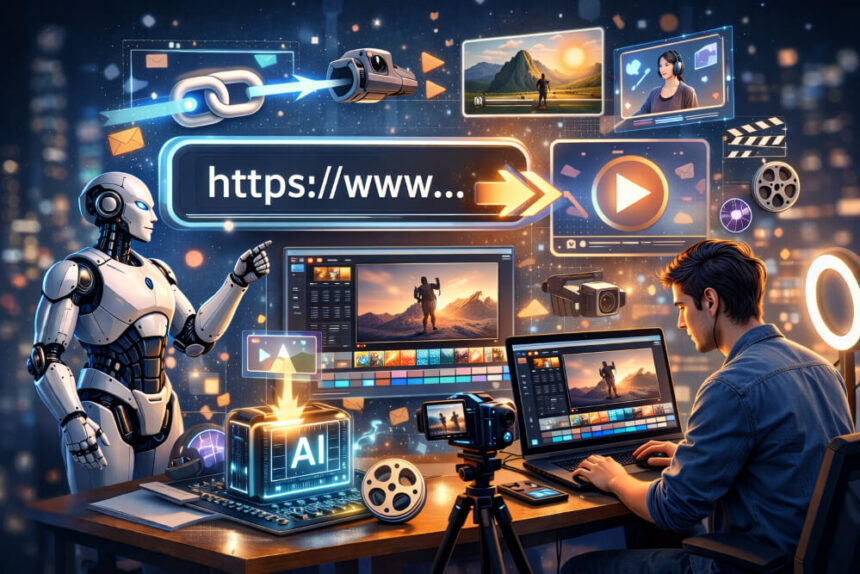
Link-to-video generation powered by generative AI is rapidly reshaping how digital content is created and shared. For marketers, entrepreneurs, and businesses, small or large, the ability to turn a simple URL into a video has become a practical advantage rather than a novelty. Instead of planning shoots or editing timelines, users can paste a link and receive a complete video with visuals, subtitles, background music, and voiceovers.
This shift is especially relevant for busy creators and teams managing multiple channels. URL-to-video technology saves time, reduces production costs, and lowers the skill barrier for video creation. It enables consistent publishing for social media, internal communications, training, and brand storytelling. As AI continues to mature, link-to-video tools are also changing how content travels across platforms and how everyday users participate in video-driven communication.
Below is a curated list of smart AI tools that instantly convert URLs into videos.
1. Invideo
Invideo provides one of the most comprehensive AI-driven solutions for turning links into videos. Its link to video generator allows users to convert URLs into engaging videos within minutes without requiring editing experience. By combining generative AI with guided workflows, invideo makes URL-to-video creation accessible and flexible across use cases.
At its core, invideo focuses on automating the heavy lifting. You paste a URL such as a product page, blog post, or landing page and choose settings like video length, target platform, subtitle style, and voiceover accent. The AI then generates a structured video using visuals, captions, background music, and narration. This approach significantly simplifies video creation for busy professionals.
A standout capability is converting product URLs into UGC-style videos. For e-commerce and online sellers, invideo can transform product links into videos that highlight key features, benefits, and use cases in a format that mirrors authentic user-generated content. These videos are particularly effective for social ads and product showcases, where relatability matters.
Invideo also supports editing videos with text prompts through its Magic Box. Instead of working with complex timelines, users can type simple commands such as changing the voiceover accent, removing a scene, or adding an intro. The AI applies changes instantly, allowing fast iteration and precision editing without technical complexity.
Another important feature is AI-generated product images. This allows users to convert links into high-quality UGC videos with AI-created visuals, removing the need to switch between design and video tools. The workflow stays centralized and efficient.
Key Features That Power Link-to-Video Creation
Invideo’s link-to-video functionality is supported by a broad feature set designed for scale and adaptability:
- AI Avatars and Actors: Users can clone themselves in minutes or choose from invideo’s actor marketplace to host videos in over 50 languages. This makes it possible to localize content or add a human presence instantly.
- Product Cloning: By pasting a product URL, users can generate high-quality visuals and pair them with AI avatars or actors to create UGC ads, explainers, or product films.
- Voice Cloning and Voiceovers: Users can clone their own voice or select from diverse voices and accents to narrate videos in different tones and languages.
- Infinite Media Access: Invideo combines AI-generated visuals with access to more than 16 million licensed stock clips, ensuring copyright-safe content at scale.
- Fine-Tune Editing: With the Magic Box, users can edit via text prompts or apply precision controls across scripts, music, visuals, and settings, scene by scene or across the full video.
- Generative Picks and Workflows: Ready-made flows for UGC ads, explainers, brand films, event invites, and short clips ensure users never start from a blank canvas.
Why It Matters
Invideo’s approach to URL-to-video generation reduces friction at every step. Marketers, freelancers, solopreneurs, educators, agencies, and even filmmakers can save time and resources by turning a link into a finished video. No prior experience is needed to publish consistently, maintain engagement, or experiment with formats such as UGC ads or faceless video channels.
The platform also includes privacy controls, making it suitable for internal communications and sensitive brand assets. For users focused on social media for personal branding or building an AI-readable website for business visibility, invideo functions as a practical, all-in-one video maker app that supports long-term content strategies.
2. Pictory
Pictory is designed to convert written content and URLs into short, digestible videos. It works well for professionals who want to repurpose blogs, articles, or reports into visual summaries.
The tool automatically extracts key points from URLs and structures them into a sequence of visuals with captions and optional voiceovers. Branding elements such as logos and colors can be applied to maintain consistency across outputs.
Use case: Content marketers and consultants can turn long-form articles into short social videos that increase reach without additional production work.
3. Fliki
Fliki focuses on voice-driven storytelling and straightforward URL-to-video conversion. Users can paste a link and generate narrated videos using AI voices in multiple languages.
It combines stock visuals, background music, and automated captions, making it suitable for explainers, tutorials, and learning content.
Use case: Trainers and educators can convert reference links into short instructional videos for internal training or online courses.
4. Lumen5
Lumen5 helps businesses repurpose written content into branded videos optimized for social media. It automatically selects visuals and layouts based on the text extracted from URLs.
Users can make quick adjustments through a drag-and-drop interface, keeping the workflow simple and accessible.
Use case: Social media managers can convert blog updates or announcements into platform-ready videos for consistent posting.
5. FlexClip
FlexClip offers a lightweight approach to link-to-video generation combined with customizable templates. It supports basic URL conversion while allowing users to add animations, transitions, and overlays.
The tool works well for quick projects that require a balance between automation and manual control.
Use case: Small businesses and freelancers can turn landing page links into simple promotional videos without a complex setup.
Conclusion
Smart AI tools for converting URLs into videos are redefining how content is produced and shared. By automating structure, visuals, and narration, these platforms allow professionals to focus on messaging rather than mechanics.
Among the tools listed, invideo stands out for its depth and flexibility, offering product-to-UGC conversion, AI avatars, voice cloning, text-prompt editing, and structured workflows. The other platforms provide focused alternatives for summarization, narration, or quick social content.
As link-to-video technology continues to evolve, it is becoming a foundational part of modern content strategies supporting faster creation, consistent publishing, and broader participation in video-driven communication.
FAQs
What is link-to-video generation?
It is an AI-powered process that converts URLs into videos by extracting text and context from web pages and combining them with visuals, music, and voiceovers.
Who benefits most from URL-to-video tools?
Marketers, entrepreneurs, educators, agencies, and businesses that need frequent video content without dedicated editing resources.
Can I create UGC-style videos from product links?
Yes. Platforms like invideo specialize in transforming product URLs into UGC-style videos tailored for e-commerce and advertising.
Do these tools require editing skills?
No. Most are designed for beginners and rely on automation, workflows, and text-based commands rather than timelines.
Are these videos suitable for social media?
Yes. URL-to-video tools typically include formats and settings optimized for social platforms, presentations, and internal use.